


This newsletter is sponsored by AI-Led Growth.
What happens when you gather operators who have actually scaled companies like Lovable, Ramp, Webflow, and Affirm to teach you their playbooks? That’s AI-Led Growth!
They invited me to a private 2-hour workshop where Marcel and Jason from GrowthX AI broke down the exact SEO + AEO playbook their clients pay $250k per year for. They’re giving every GTM Strategist subscriber the full recording for free.

Dear GTM Strategist,
When I published the 2025 State of B2B GTM report with Kyle Poyar from Growth Unhinged last year, 53% of GTM leaders said they’re seeing little to no impact from AI adoption.
So we’ve spent the last month talking to 30 top GTM leaders about how they’re using AI to get results.
Not the stuff they’re thinking about using. Not what’s on their roadmap. Not pilot projects or overcomplicated workflows. What’s actually deployed, running, and delivering results right now.
This group is absolutely crushing it.
They are generating millions in pipeline, tripling their meeting booking rates, and automating what used to take teams of people.
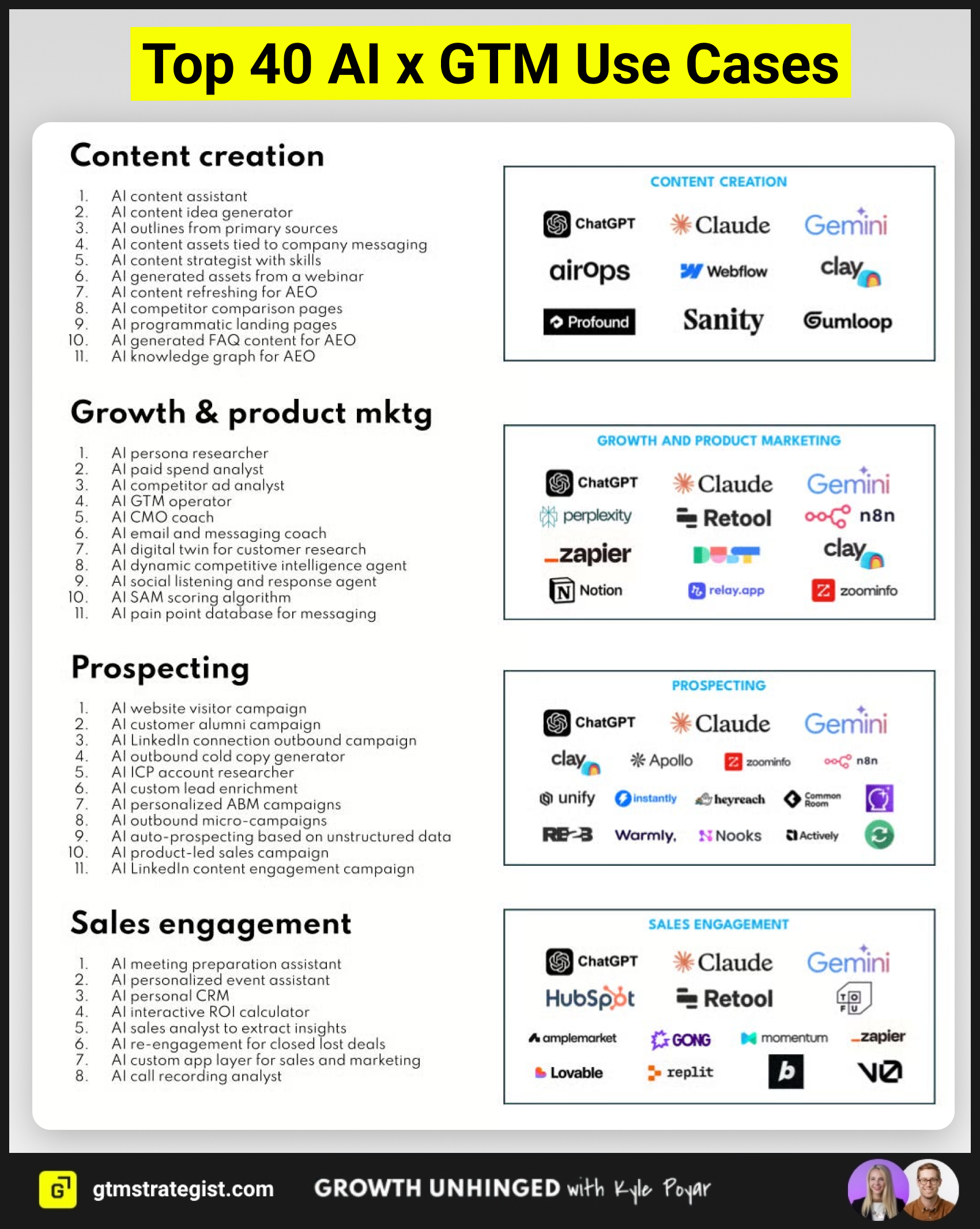
That’s why we have now prepared the 2026 State of AI for GTM Report. We asked all leaders to share their best AI workflows with us - the workflows that can be replicated and applied to almost any business.
They are on different levels of complexity, from simple yet powerful ChatGPT prompts to setups with multiple tools.
But none of them requires any technical knowledge or coding skills to set up, and they work with the AI tools you use daily: like ChatGPT, Claude, or Gemini.
Today, I want to share with you some workflows you can copy right now.
The Have and Have-Not Era of AI in GTM
Here’s the thing that surprised me most: the gap isn’t about budget or team size.
Early-stage companies and late-stage enterprises show basically the same adoption patterns. 47% have no AI agents in production. 32% have 1-3 agents. Only 2% have more than 21 agents running.
The difference is clarity of use case and willingness to experiment.
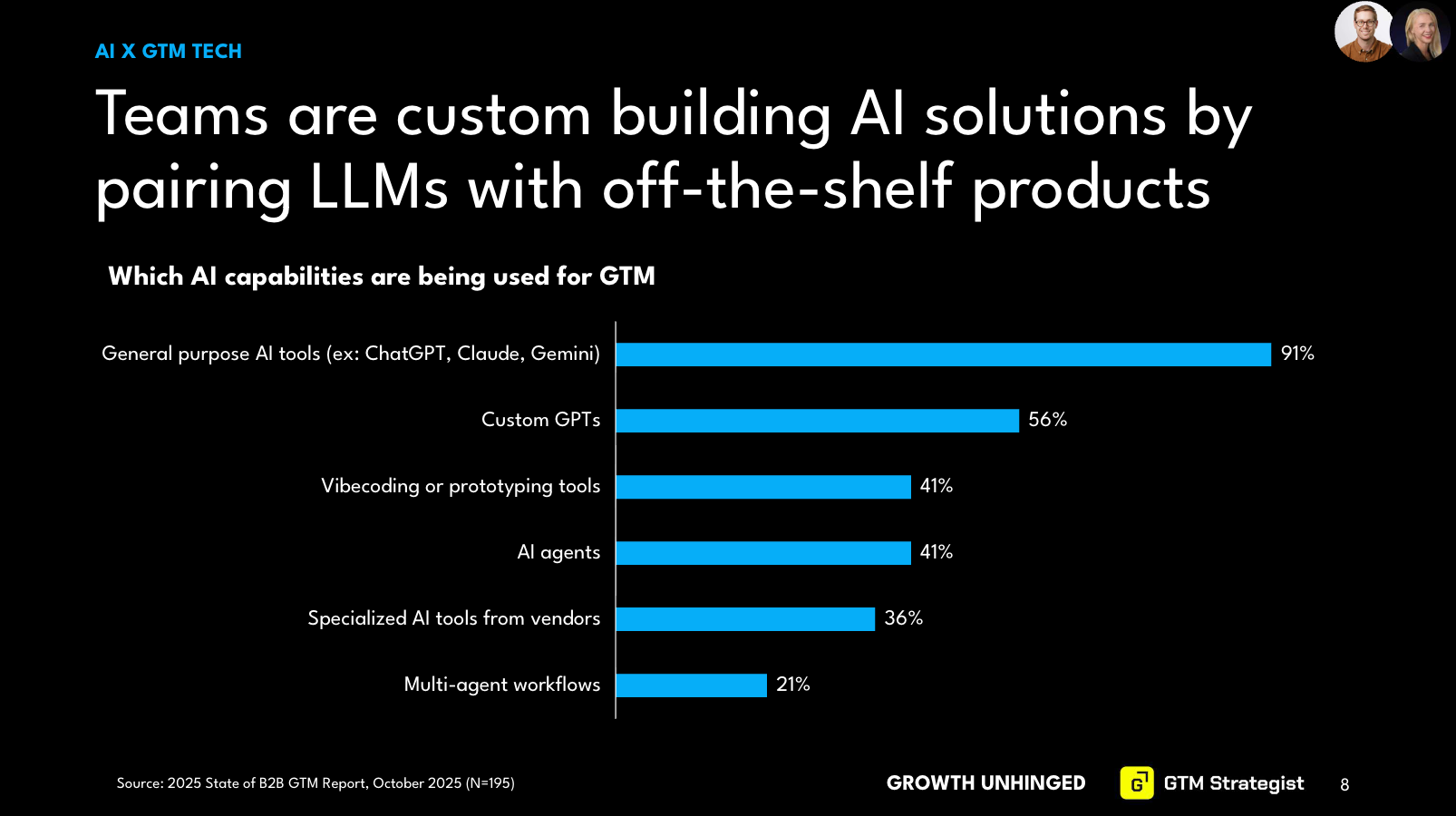
The leaders seeing big returns aren’t waiting for perfect vendor solutions. They’re building workflows themselves using general-purpose LLMs (91% are using ChatGPT, Claude, or Gemini) combined with affordable tools like Clay, Zapier, and n8n.
Meanwhile, the 53% seeing no impact? They’re either:
Waiting for their current vendors to “add AI”
Playing with ChatGPT for one-off tasks, starting from a blank page every time
Paralyzed by all the options and technical jargon
Here are some workflows you can try right away, one from each category in the report.
Content Creation: From Transcripts to Thoughtful Content
Most content teams are drowning. You’ve got SMEs who hate writing, tight deadlines, and pressure to produce more with less. AI can help - if you use it right.
AI works best when you feed it great source material. Garbage in, garbage out still applies. But primary sources in, quality content out? That’s where magic happens.
Workflow Example: AI Content Idea Generator from Call Transcripts
Workflow by Maja Voje (GTM Strategist)
Tool: your favorite LLM
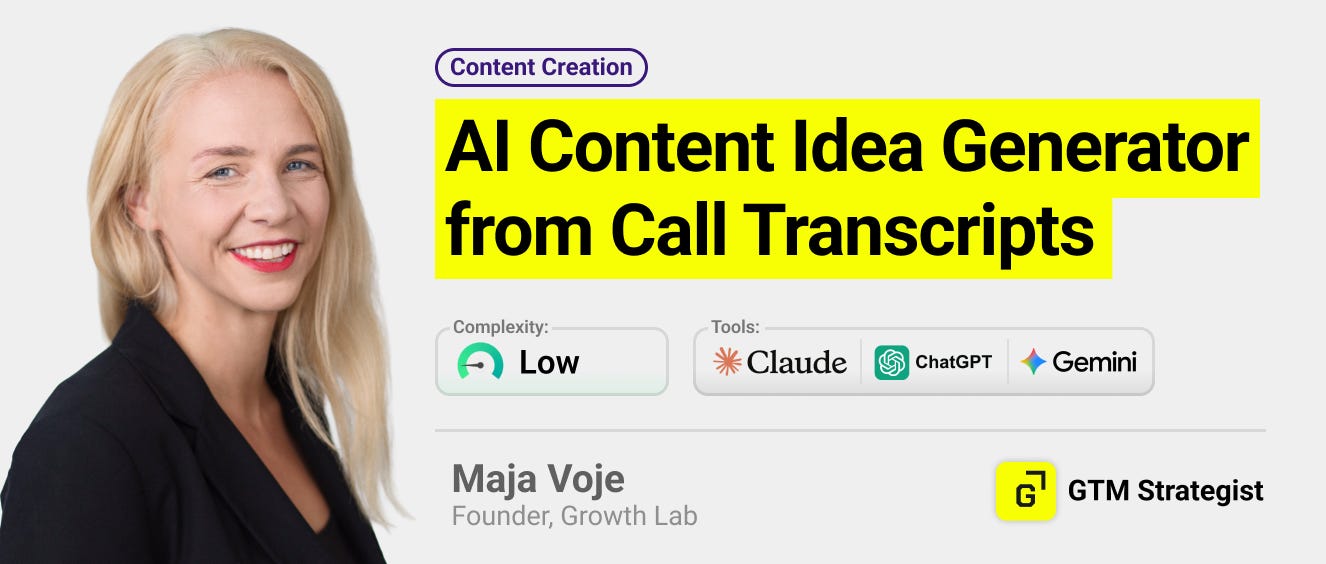
One of my favorite workflows came from my own experimentation (yes, I dogfood everything). Here’s how it works:
Step 1: Drop a call transcript into ChatGPT/Claude/LLM of your choice. These can be customer calls, expert interviews, internal strategy sessions - any conversation with high-signal ideas.
Step 2: Ask it to analyze key themes that could become posts, blogs, or other content:
Your task: Extract 10 distinct, high-signal themes or insights expressed by [Name] that could be turned into strong LinkedIn thought leadership posts. For each theme, provide:

1. Theme title (short, sharp, scroll-stopping)
2. Core insight (1-2 sentences explaining the idea in plain English)
3. Why this resonates on LinkedIn (tie it to a real pain, misconception, or trend)
4. Suggested post angle (e.g. contrarian take, personal story, framework, warning, tactical breakdown)

Constraints:
- Focus on applied, opinionated insights, not generic summaries
- Prioritize ideas that spark discussion, disagreement, or "that's so true" reactions
- Write for [target audience, e.g. B2B founders / GTM leaders / operators]
- Avoid fluff, quotes without context, or surface-level themes

Transcript: [paste full transcript here]
Why this works: You’re not asking AI to generate ideas from scratch. You’re asking it to extract and package the good ideas that already exist in your conversations. The constraint-heavy prompt keeps output quality high.
Real result: I use this weekly. A 30-minute conversation becomes 8-10 content ideas with clear angles. What used to take hours of manual review now takes 90 seconds.
Workflow Example: AI Knowledge Graph for AEO
Workflow by Dima Durah (Record Scratch Productions)
Tool: ChatGPT Atlas
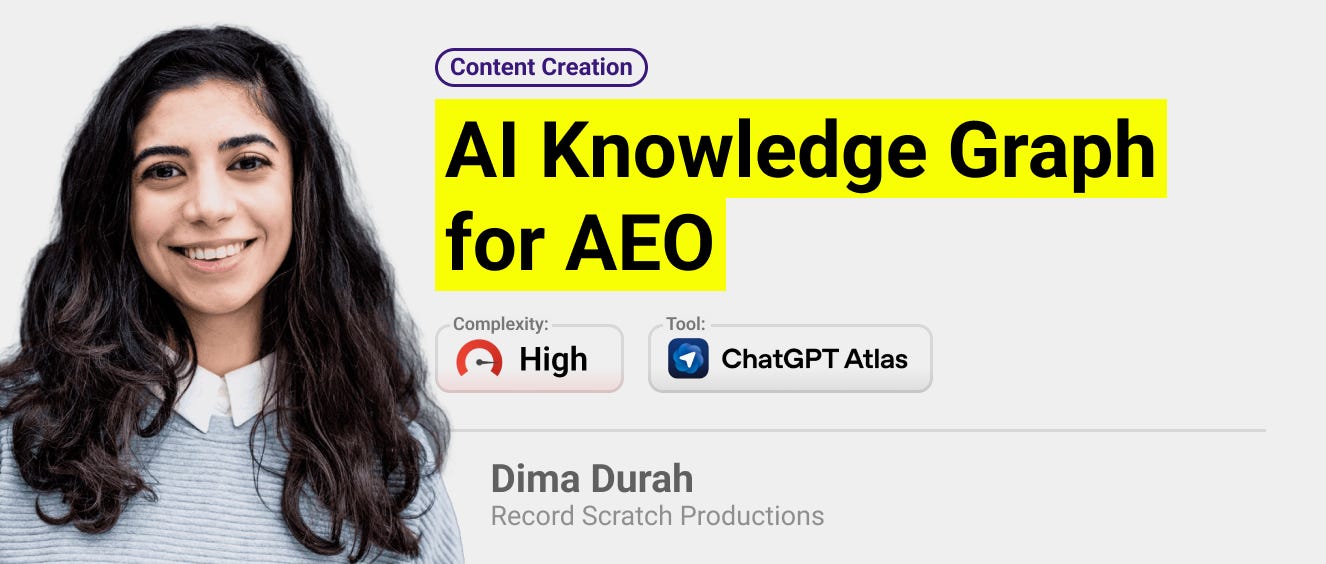
Dima solved a modern SEO/AEO problem: how do you make your website discoverable to both AI agents and search crawlers without duplicating work or using outdated SEO tactics?
Her solution turns any live website into a machine-readable knowledge graph that serves as a single source of truth for agentic AI grounding, human exploration, and crawler discovery.
The workflow:
Load the website in ChatGPT Atlas and ensure full page context is available.
Use Atlas to extract all semantically meaningful entities and relationships, outputting a self-contained interactive HTML file with embedded KG JSON.
Export the KG JSON using the “Export JSON” button to download the raw graph (nodes + edges) as structured data.
Feed the KG JSON back into ChatGPT using a conversion prompt to generate:
llms.txt for LLM/agent grounding and discovery;
robots.txt for crawler directives and discoverability hints.
Deploy llms.txt and robots.txt to your site root (or as plain-text routes). Optionally host the interactive KG HTML as a public artifact or internal tool.
Get detailed prompts and example outputs here.
The result: A single workflow that makes your site natively understandable to AI systems while maintaining traditional SEO discoverability - no manual duplication required.
Workflow Example: AI Content Strategist with Context Engineering
Workflow by Amos Bar-Joseph (Swan)
Tool: Claude
Amos generates over 1M monthly impressions on LinkedIn consistently and millions in monthly pipeline. His secret? Treating Claude not as a content generator, but as a collaborator through context engineering.
His system runs on three layers:
Layer 1: Conversations – He works inside a dedicated Claude Project so every conversation compounds the context without cross-contamination from unrelated threads.
Layer 2: Reusable Knowledge – He builds reusable “skills” (content pillars, brand voice, example posts) so Claude pulls only what’s relevant to each task. The more skills Claude has, the better it gets.
Layer 3: Instructions – His instructions are optimized for Human+AI collaboration:
Force Claude to think creatively before responding
Follow an opinionated collaborative workflow
Extract the right human feedback at the right time
Instead of: “Write a LinkedIn post about [topic]”, Amos uses: Context-aware instructions that:
Reference specific past conversations and successful posts
Pull from relevant skills (voice guidelines, content pillars)
Guide a collaborative workflow where AI drafts, he refines, AI learns
Get full instructions here.
The result: Consistent 1M+ monthly impressions and millions in pipeline - but only because the system amplifies an original point of view. As he notes: “Without something original to say, the best architecture in the world just produces polished noise.”
Marketing: Research and Strategy at Speed
Product marketing and growth teams live in research mode. Customer interviews, competitive analysis, campaign data, persona development - it never ends.
The AI workflows getting traction here aren’t replacing human judgment. They’re accelerating the research phase so marketers can spend more time on strategy and less on data collection.
Workflow Example: AI Digital Twin for Customer Research
Workflow by Kieran Flanagan (HubSpot)
Tool: Claude
Kieran had a frustration: customer research takes too long, so marketers use it sparingly. But what if you could have customer research on tap and ask for opinions before work even launches?
After reading research from PyMC Labs and Colgate-Palmolive, he realized AI can act as a customer’s digital twin and give accurate feedback to help iterate faster.
His digital twin runs on three layers:
Layer 1: Real Customer Data – He feeds Claude actual signals: sales call transcripts, G2 reviews, CRM objection notes. This grounds the twin in real buyer language, not hallucinations.
Layer 2: Behavioral Insights – He asks Claude to surface patterns: motivations, emotional drivers, objections, buying triggers. This creates accuracy because he’s mapping why they buy or walk away.
Layer 3: Anchor Statements – Instead of asking Claude to rate something 1-5 (which defaults to vague “3s”), he creates five reference statements in customer language, from “this sounds too complex, not worth switching” to “this is exactly what we’ve been looking for.”
The workflow:
Feed Claude real customer data (transcripts, reviews, objection notes)
Ask Claude to extract behavioral patterns and buying triggers
Create 5 anchor statements in actual customer language representing the spectrum from “hard no” to “perfect fit”
When testing a campaign, have Claude write a natural response, then identify which anchor statement it’s closest to
You get both the score AND the reasoning
He loads everything into a Claude Project as a persistent digital twin he can test any campaign against.
The result: On-tap customer research that accelerates iteration. The caveat: “This system gives you accuracy on purchase intent, but only if you feed it real customer data. Synthetic data in, synthetic insights out.”
Get the full tutorial via Kieran’s newsletter.
Prospecting: Personalization Without the Manual Work
Outbound is broken. Spray-and-pray doesn’t work. But hyper-personalized 1:1 research doesn’t scale.
The teams seeing results are using AI to automate the research and personalization that used to require armies of BDRs. They’re not sending AI-generated spam. They’re using AI to find the right people, enrich them with relevant data, and craft contextual outreach.
Workflow Example: AI Outbound Micro-Campaigns
Workflow by Mike Ryan (Crescendo)
Tools: HubSpot, Instantly, Nooks, Clay, HeyReach, OutboundSync
Mike’s team faced the classic outbound challenge: how do you run personalized, multi-channel campaigns at scale without burning out your BDR team?
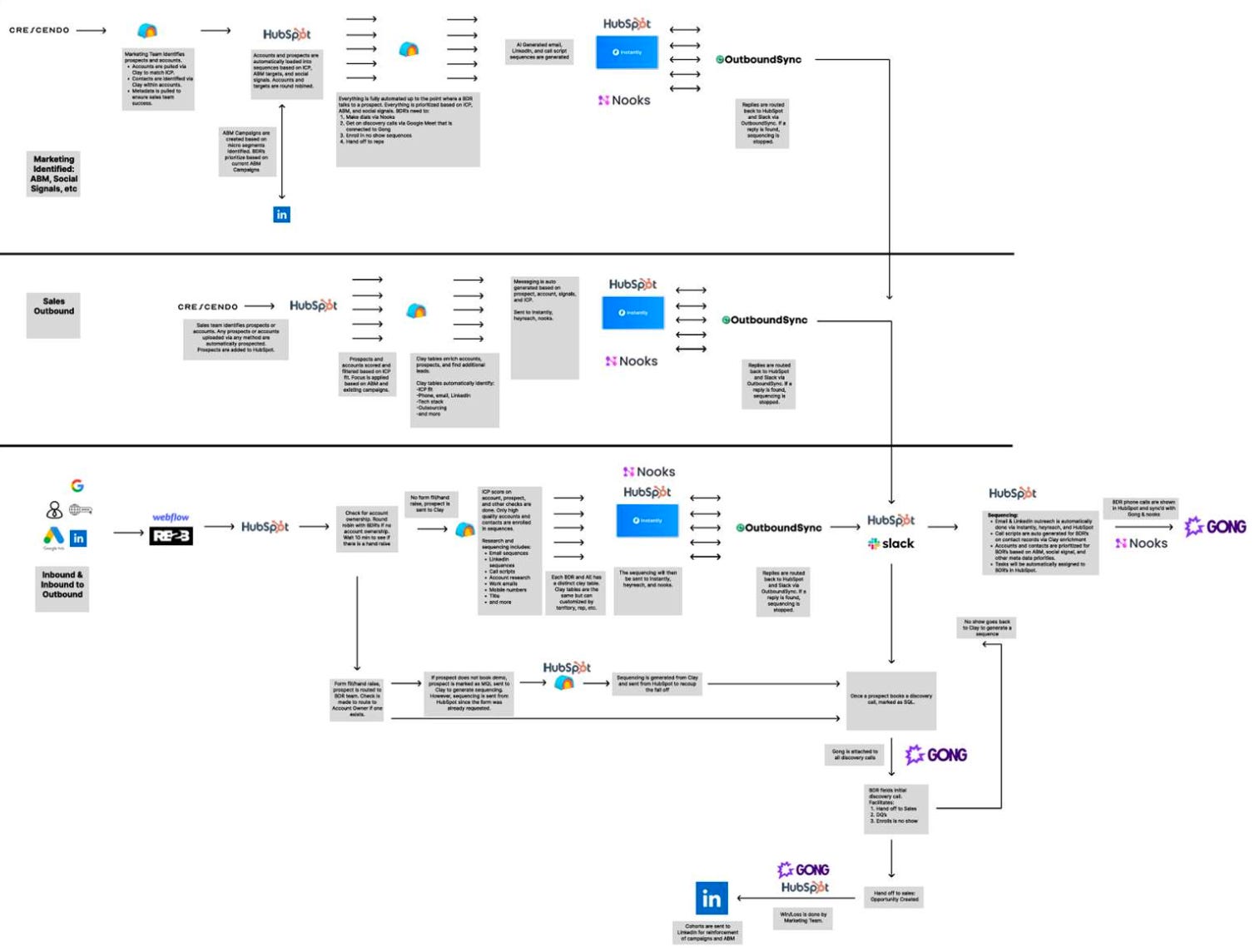
They built a human-in-the-loop AI system that automates prospecting, research, and sequencing across three distinct funnels: ABM, outbound, and inbound-to-outbound. The AI engine autonomously identifies, enriches, and engages prospects, then hands off to humans at key conversion points.
The workflow runs through five connected stages:
Stage 1: Prospect Identification
Marketing and sales upload or tag accounts based on ICP, ABM signals, or social metadata. Clay enriches each record with phone, email, LinkedIn, tech stack, and outsourcing data. The system refreshes accounts weekly, giving BDRs and marketing a new set of prioritized targets based on the most recent buying signals.
Stage 2: Automated Research and Sequencing
The system auto-generates email, LinkedIn, and call sequences that are sent via Instantly, HeyReach, and Nooks. Replies automatically stop the sequence.
Stage 3: Prospect Prioritization and BDR Enablement
HubSpot prioritizes and assigns tasks to BDRs based on enrichment data, engagement signals, and ICP fit. AI call scripts are generated directly on each contact record. Each BDR has a personalized Clay table, filtered by ICP fit and campaign relevance.
Stage 4: Engagement and Handoff
BDRs engage prospects using hyper-personalized, AI-generated messaging and Gong-recorded discovery calls. No-shows automatically re-enter Clay for resequencing. Qualified opportunities pass to sales automatically.
Stage 5: Closed-Loop Feedback
Replies sync back to HubSpot and Slack via OutboundSync. Marketing logs win/loss data and attaches Gong recordings to discovery calls. Non-responses trigger resequencing through Clay.
The tech stack: HubSpot (CRM), Clay (enrichment & workflows), Instantly (email), HeyReach (LinkedIn), Nooks (calls), OutboundSync (sync), Gong (call intelligence), Slack (routing).
The results:
Millions in pipeline with 200%+ quarter-over-quarter growth
AI engine creates ~25% of overall pipeline
50%+ open rates on AI-generated emails
The key: The system runs autonomously but keeps humans in the loop at conversion points. AI handles the research and sequencing grunt work; BDRs focus on high-value conversations.
Sales: Preparation and Analysis Without the Grunt Work
Sales teams spend absurd amounts of time on non-selling activities. Meeting prep. Call notes. Deal analysis. Following up on action items.
The workflows getting traction automate the grunt work while keeping humans in the actual selling moments.
Workflow Example: AI Re-Engagement for Closed Lost Deals
Workflow by Elaine Zelby (Tofu)
Tools: HubSpot, Tofu, Amplemarket, LinkedIn, Sybill
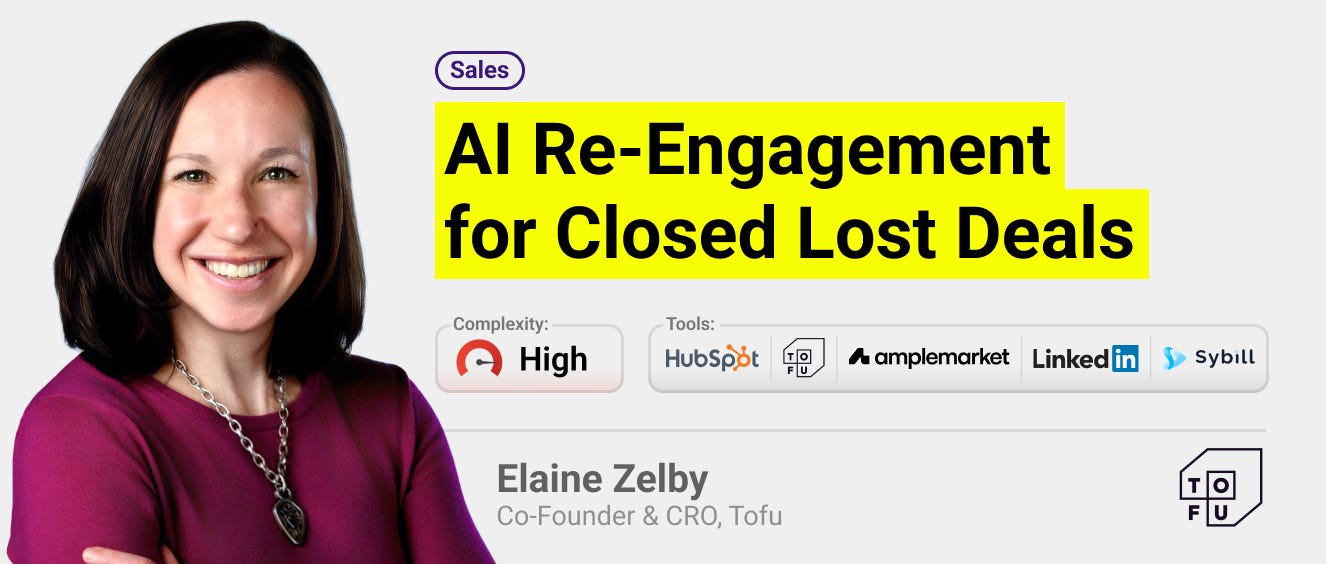
Elaine had a core GTM insight: closed lost deals are much easier to re-engage than getting a brand new logo aware, educated, interested, and signed. So she automated the entire re-engagement process.
The setup uses Sybill (AI call recorder) connected to HubSpot, which automatically fills 12 custom fields based on sales calls - following their SPICED methodology plus tech stack details.
When a deal moves to closed lost, it’s automatically added to a HubSpot workflow with a 90-day wait period, then gets sent to a Tofu campaign that:
Ingests all the CRM fields Sybill created (pain points, tech stack, closed lost reason)
Runs an additional AI research agent with this prompt:
Have they had any new marketing leadership changes in the past 3 months? What personas and industries do they sell to? What types of marketing content and campaigns are they currently running? Have they made any major announcements, hosted or had a major presence at any events in the past 3 months? Have they made any recent changes to their GTM motion?Combines the research with CRM data to create personalized content for each contact:
4 marketing emails
4 sales emails
2 LinkedIn DMs
1 personalized 1:1 landing page
The landing pages export to Webflow, emails with personalization tokens go to HubSpot, sales emails and LinkedIn DMs flow into Amplemarket sequences, and the account gets added to a LinkedIn Campaign Manager audience for targeted ads.
The result: Fully automated, deeply personalized re-engagement that runs on autopilot while maintaining the quality of manual outreach.
Workflow Example: AI Sales Analyst
Workflow by Jonathan Kvarfordt (Momentum)
Tools: NotebookLM, Momentum
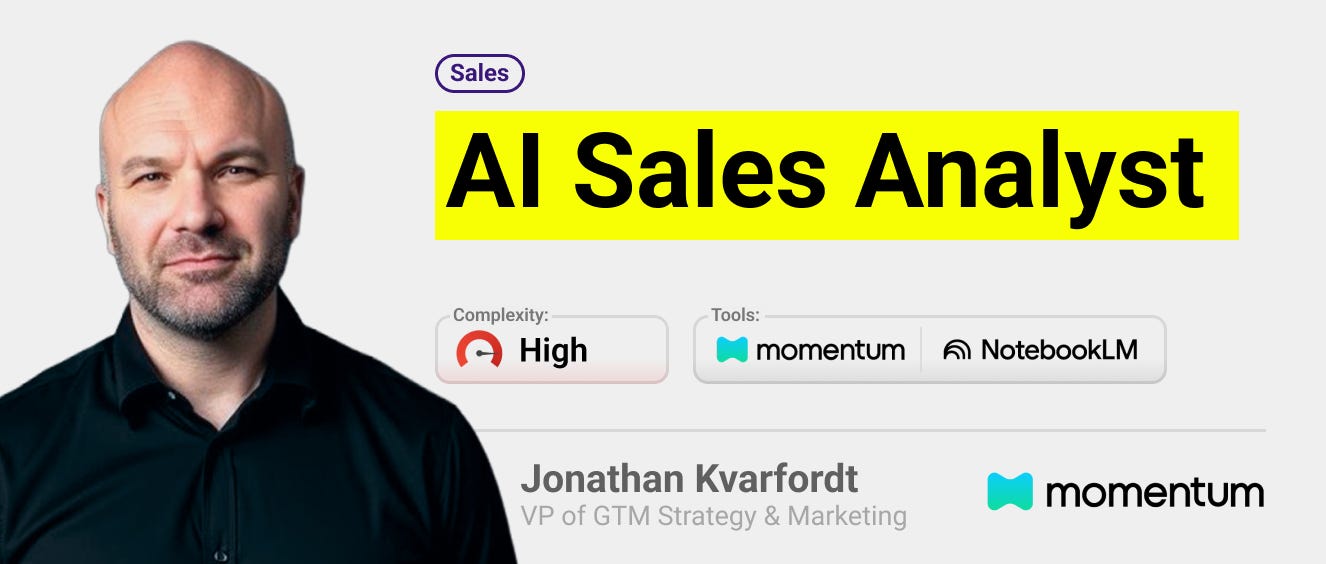
Most marketers treat call transcripts like data graveyards: recorded, stored, never analyzed. After analyzing hundreds of customer conversations at Momentum, Jonathan learned what actually works is better instruction architecture.
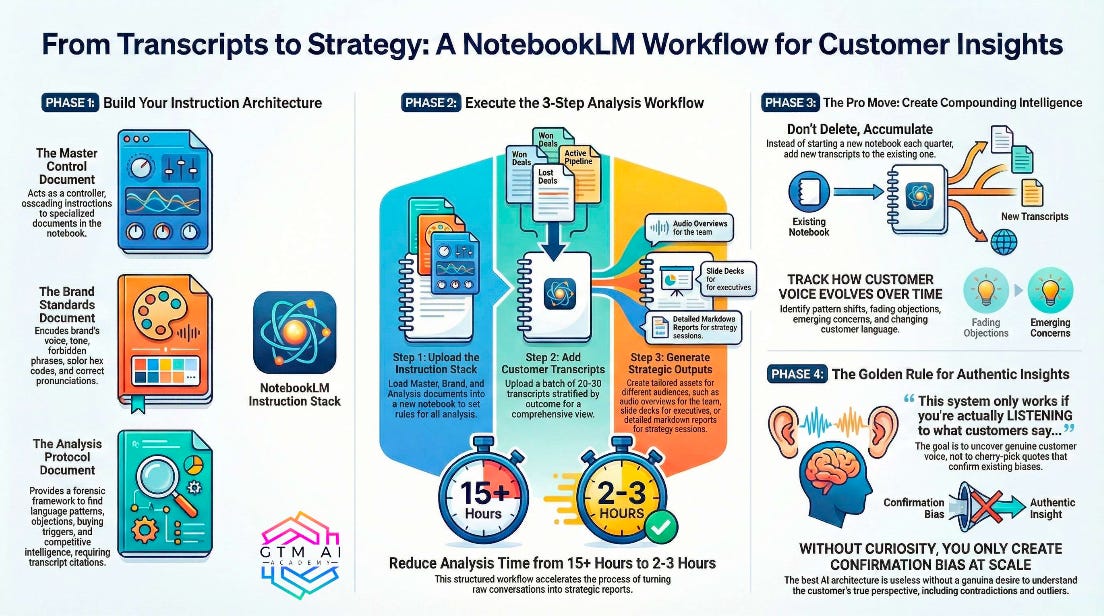
His NotebookLM system runs on three layers using 3 main documents:
Layer 1: Master Control – A single document NotebookLM reads FIRST that cascades instructions to specialized sub-documents. This creates a reusable framework that transforms raw transcripts into strategic intelligence without re-prompting every time.
Layer 2: Brand Standards – He encodes brand voice, forbidden phrases, hex codes, and pronunciation rules (because nothing kills credibility like AI mispronouncing “Momentum.io”). This ensures every output - whether podcast, deck, or report - sounds and looks like it came from their team.
Layer 3: Analysis Protocol – Rather than asking “what are the insights?”, he gives NotebookLM a forensic framework: analyze language patterns (what words CUSTOMERS use vs what WE use), objection architecture (price vs feature vs timing), buying triggers, moments of confusion, and competitive intelligence. Every insight requires transcript citations and exact quotes - no marketing-speak paraphrasing allowed.
The workflow:
Upload the instruction stack FIRST:
INSTRUCTION CASCADE:
1. Apply Brand Voice Guidelines from "Source A - Brand Standards"
2. Follow Output Formatting from "Source B - Format Rules"
3. Execute Analysis Framework from "Source C - Analysis Protocol"
PRONUNCIATION GUIDE (for Audio Overviews):
- [Your company name] = "[Exactly how to say it]"
- [Your product] = "[Phonetic spelling]"
- [Industry acronyms] = "[Spell out or full phrase]"
ANALYSIS CONTEXT:
You are analyzing real customer/sales conversations to extract authentic
voice insights for marketing strategy.
CORE PRINCIPLES:
- Use customer language, not marketing language
- Cite specific transcripts + timestamps for every claim
- Quantify patterns (mentioned in X of Y transcripts)
- Separate what was said from what it means strategically
- Flag contradictions and outliers
- No hallucinations - if uncertain, say so
OUTPUT RULES:
- Audio: 8-10 min, conversational, 2-3 examples per insight
- Decks: Bold insight headlines, one pull quote per slide, brand colors
- Reports: Markdown format, executive summary + detailed sections
Add 20-30 transcripts stratified by outcome (won/lost/pipeline or active pipeline conversations OR active customer conversations)
Generate audio overviews for the team, slide decks for executives, or markdown reports for strategy sessions
All outputs completed in 2-3 hours vs 15+ hours of manual analysis
Don’t delete notebooks. Next quarter, add new transcripts to the SAME notebook. Now you’re tracking pattern shifts over time - which objections decreased, which new concerns emerged, how customer language evolved. Your analysis compounds instead of resetting.
The result: Strategic intelligence from call transcripts in 2-3 hours instead of 15+. Teams get audio overviews, executives get slide decks, and strategists get markdown reports - all from the same workflow.
How to Actually Get Started
If you’re in the 53% seeing little impact, here’s my advice:
1. Start with one clear workflow, not “AI strategy”
Don’t try to transform your entire GTM motion at once. Pick one painful, repetitive process and fix it. Meeting prep? Content ideation? Lead enrichment? Start there.
2. Use what you already have
Most of these workflows work with free plans of ChatGPT or Claude plus affordable tools like Clay, Zapier, or n8n. You don’t need enterprise AI contracts or engineering resources.
3. Feed AI great inputs
The single biggest determinant of output quality is input quality. Call transcripts, customer conversations, existing high-performing content - these are gold. Random prompts to “write a blog post about AI”? Garbage.
4. Constrain the output heavily
The more specific your prompt, the better the output. Define format, length, tone, what to include, what to avoid. Vague prompts = vague output.
5. Keep humans in the loop
Every successful workflow in this report has human review at critical points. AI does the research, synthesis, or first draft. Humans make strategic decisions and ensure quality.
The Bottom Line
We’re in a weird transition period. AI is simultaneously overhyped (it won’t replace your entire GTM team) and underutilized (most teams barely scratch the surface of what’s possible today).
The winners aren’t waiting for perfect solutions. They’re experimenting, iterating, and building practical workflows with off-the-shelf tools.
The gap between the 24% seeing big impact and the 53% seeing no impact isn’t about access to technology. It’s about willingness to try things, tolerance for imperfection, and focus on practical use cases over abstract strategy.
Want to dive deeper? Kyle and I documented all 40+ workflows in the full report, including:
Step-by-step implementation instructions
Actual prompts you can copy
Tool recommendations and cost estimates
Results metrics from real companies
Get the full 60-page PDF “2026 State of AI for GTM Report” in Kyle Poyar’s latest newsletter.
Huge thanks to all the experts who contributed to the report: Alex Shartsis (Skyp), Amos Bar-Joseph (Swan), Andrea Kayal (Help Scout), Ashley Cheng (Usersnap), Brendan Short (The Signal), Dave Rigotti (Inflection), Dima Durah (Record Scratch Productions), Elaine Zelby (Tofu), Elena Luneva (Elenetic), Gail Axelrod (Jellyfish), Fivos Aresti (Workflows.io), Francesca Krihely-Price (dbt Labs), Hamish Grant (SafetyCulture), Jeff Beckham (Gem), Jesus Requena (Sanity), Joey Maddox (Verisoul), Jonathan Kvarfordt (Momentum), Josh Grant (Webflow), Justin Norris (360Learning), Kieran Flanagan (HubSpot), Liam Gandelsman (Galileo), Matteo Tittarelli (Genesys Growth), Mike Ryan (Crescendo), Natalie Taylor (Capsule), Raj Sarkar (Cloudbees), Rishikesh Ranjan (StreamAlive), Ryan McCready (Quo), Tobi Idowu (Coast), and Torsten Walbaum (Operator’s Handbook).
If you try any of these workflows, I’d love to hear how it goes. Reply to this email or tag me on LinkedIn.
Go build something.
Maja

✅ Need ready-to-use GTM assets and AI prompts? Get the 100-Step GTM Checklist with proven website templates, sales decks, landing pages, outbound sequences, LinkedIn post frameworks, email sequences, and 20+ workshops you can immediately run with your team.
📘 New to GTM? Learn fundamentals. Get my best-selling GTM Strategist book that helped 9,500+ companies to go to market with confidence - frameworks and online course included.
📈 My latest course: AI-Powered LinkedIn Growth System teaches the exact system I use to generate 7M+ impressions a year and 70% of my B2B pipeline.
🏅 Are you in charge of GTM and responsible for leading others? Grab the GTM Masterclass (6 hours of training, end-to-end GTM explained on examples, guided workshops) to get your team up and running in no time.
🤝 Want to work together? ⏩ Check out the options and let me know how we can join forces.
Got referred here by Maja and it wow what a knowledge journey this article is. Will definitely use "Content ideation" and "Lead Enrichment" workflows.
Thanks for the great article.
You should read our latest piece on Lovable’s GTM leadership team.
They had to deal with it so quickly/early and with such immense implications that this might be a paradigm shift in terms of how such AI companies approach hiring – like chess prodigies learning to think 20-30 moves ahead. While other scale-ups hire to solve their current problems, Lovable already had to think about the endgame. That’s why hires from Klaviyo/HubSpot, and that’s why 1bn ARR in 3 years.
https://thebigbyte.substack.com/p/how-lovable-is-building-its-gtm-leadership